


ID Theft Activation How to Activate Identity & Credit Monitoring
Once enrolled in one of our Advantage Rewards Checking accounts, you'll need to activate the ID Theft Credit and Identity Monitoring benefit.
To activate ID Theft benefits on your mobile device:
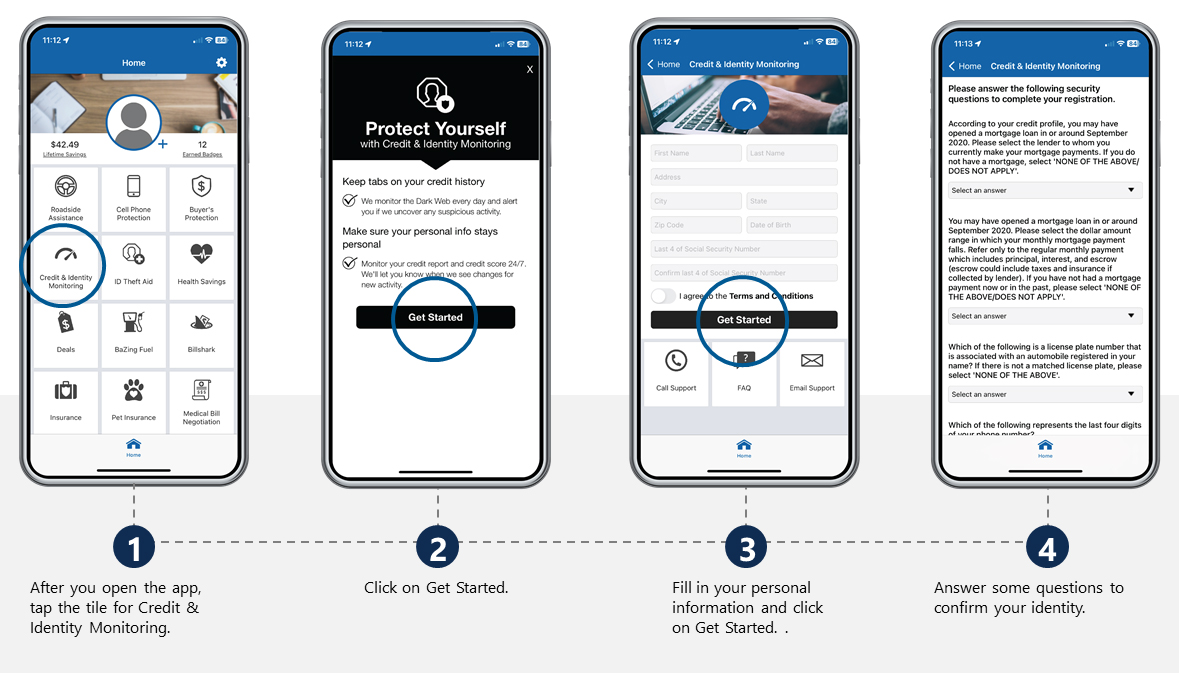
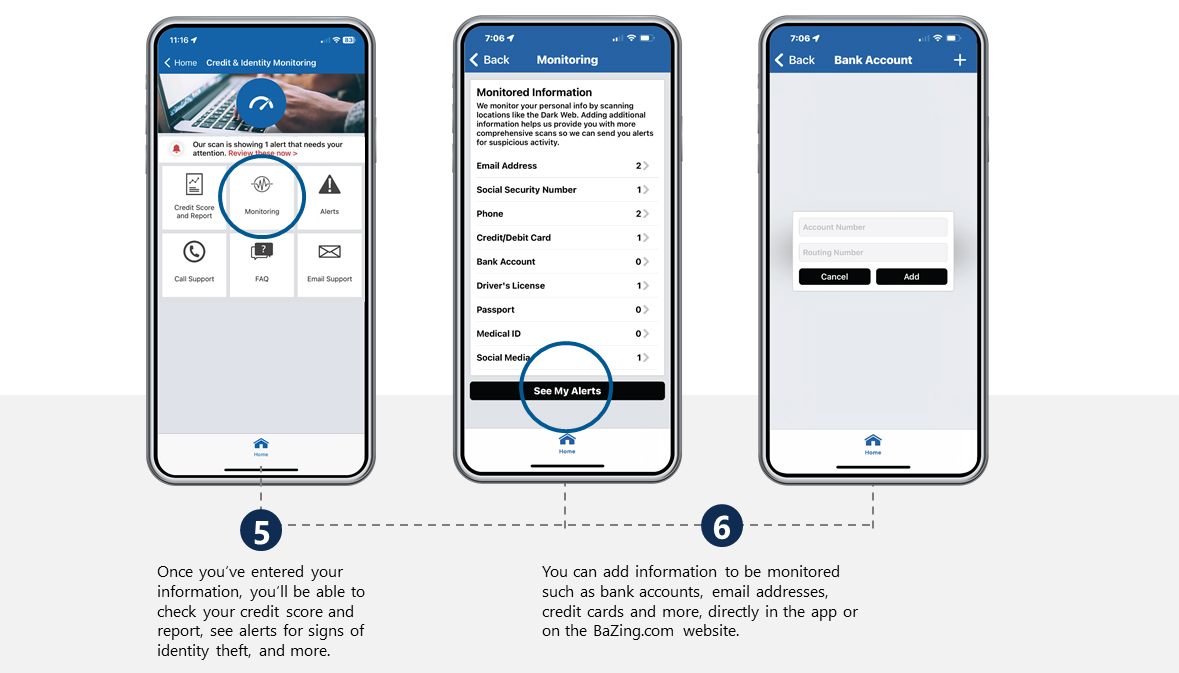
To activate ID Theft benefits online:
1. Visit www.BaZing.com and sign into your account.
2. Click on Identity Monitoring.
3. Click on 'Activate' at the top right of your screen and follow the directions.
Haven't enrolled yet and need help getting started? Follow these steps:
1. You can enroll online or by using your mobile device.
- ONLINE: To enroll and activate your account online, go to www.BaZing.com home page. Click on the words "Get Started" located on the top right corner.
- MOBILE: To activate your account on mobile, download the free Advantage Rewards mobile app. Open the app.
2. Enter your email address and the code found on the information you received after opening your Advantage Rewards checking account.
3. Fill in your profile information. You will need a valid email address.
4. Enter your mobile phone number. Both an email and text message will be sent that includes a temporary password.
5. When logging in for the first time with your email address and temporary password, you'll be prompted to create a permanent password.
Need help?
If you have any questions, please call us at 1-888-334-2262 or visit your local ACNB Bank community banking office.
Download the App

DOWNLOAD FOR APPLE DEVICE
Go to the Apple Store to download Bazing App for your Apple device!
DOWNLOAD FOR ANDROID DEVICE
Go to the Google Store to download the Bazing App for your android device!
